Koh Mook to Koh Ngai Ferry: Fares, Times & Booking
- Crossing time 20m–1h
- Operators 3
- Departures a day 2
300+ THB
Schedules & prices


 Pick-Up
 Drop-Off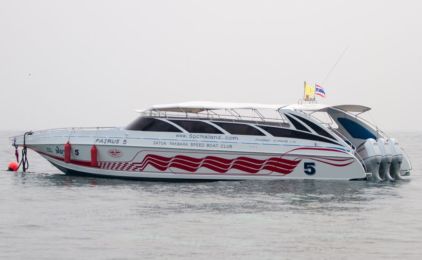

This trip is not available during the selected dates
How to get from Koh Mook to Koh Ngai
Koh Mook to Koh Ngai Ferry
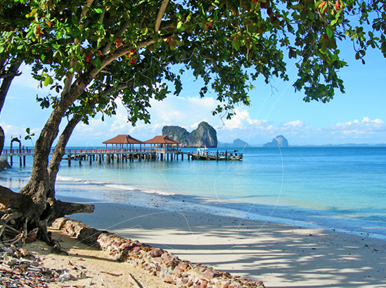
Traveling from Koh Mook to Koh Ngai connects two of the Trang archipelago's most laid-back islands, known for shallow turquoise water and quiet beaches. This route runs only part of the year, operating January to April and October to December. Outside these months the boats are suspended, so if you're searching out of season, plan your dates around the season or look at a year-round alternative via the Pak Meng or Kuan Tung Ku mainland piers instead.
How to Travel Between Koh Mook and Koh Ngai
The crossing is covered by ferry and speed boat, operated by several operators, and takes around the scheduled journey time depending on sea conditions and boat type. Boats run 4 during the season, so it's worth checking the live schedule before heading to the pier, since seats on smaller island-hopping boats can be limited. The exact distance and journey time can vary by operator and by conditions on the day, so treat the duration above as a guide and confirm the first and last departure when you book.
Departure and Arrival Points
Boats leave from Koh Mook's pier and arrive directly at Koh Ngai's pier, with no need to transfer via the mainland during the season.
Fares and Booking
Fares for this route start from ฿300 per person, with the final price depending on the operator and boat type you choose. Standard longtail transfers are generally the more affordable option, while shared speedboat services cost a little more in exchange for a faster, smoother ride. Facilities on board typically include onboard facilities, though this can vary by boat. Book your ticket online in advance to secure a seat, especially in high season, when demand for this crossing is strong.
Other Ways to Reach Koh Ngai
If you're island-hopping around Trang, you may also want to check the Koh Kradan to Koh Ngai ferry schedule, another short seasonal hop popular with travelers combining several islands in one trip. Divers and snorkelers based on Koh Mook often also compare this crossing with a transfer to Koh Ngai's beaches and accommodation before deciding where to base themselves.
Planning Your Return Trip
Heading back the other way, the Koh Ngai to Koh Mook ferry runs on the same seasonal timetable, so check availability for your return date at the same time as your outbound booking, particularly near the edges of the season when the schedule thins out.
Book your Koh Mook to Koh Ngai ticket online to lock in your seat before the boats stop running for the season.
Frequently asked questions
Do I need to print my ferry ticket or is mobile ok?
You don't need to print your ticket. Your boarding voucher is in your account: open Bookings, then View trip details, and click Download PDF. On the day of travel, show the QR code on it — on your phone is fine — to the ferry operator staff at the pier named on your ticket, and they will direct you to your boat.
If you'd prefer paper, print the PDF yourself.
What happens if my ferry is cancelled due to weather?
We are sorry when weather stops a sailing. Ferries usually run in rain; speedboats are more often stopped by rough seas.
If your trip is cancelled because of weather, your booking in Bookings shows a message once our team has confirmed the cancellation. You can then either move to the next available service with Change this booking, or cancel with Cancel & refund for a full refund.
If the sailing is running but you choose not to travel, the normal cancellation policy applies.
Why is my account locked?
We lock an account for a short time after several failed sign-in attempts in a row. It is an automatic safety measure: it stops someone else guessing your password, and it happens whether or not the person typing was you.
You do not need to contact us. The lock lifts on its own — see How long am I locked out for?
What is the difference between a locked and a blocked account?
Locked is automatic and temporary. It happens after repeated failed sign-in attempts and it lifts by itself — within a minute in most cases.
Blocked is a decision made by our team, and it does not lift on its own. If your account is blocked you will need to contact us; waiting will not change it, and neither will resetting your password.
If you are not sure which applies to you, get in touch and we will tell you.
How do I unlock my account now?
Wait, and try again. Every lock lifts on its own — a minute the first time, and never more than an hour however many attempts have failed. There is nothing to click and nobody to contact.
If you have forgotten your password, do not keep guessing: each wrong attempt makes the next wait longer. Use Forgot password instead. Resetting your password gets you straight back in.
My account locked but I never tried to sign in
Then someone else was trying to sign in as you, and the lock did its job — it stopped them.
Your account is safe: a lock means the attempts failed. Nobody got in. You do not have to do anything, and the lock will lift on its own.
We would still recommend two things:
- Change your password, especially if you use the same one on another website.
- Add an authenticator app in your account security settings, so a password alone is never enough to sign in as you.
If you get these repeatedly, contact us and we will look into it.