How can we help?
Search our Knowledge Center or browse the topics below — refunds, luggage, changing a booking, e-tickets and payment.
Popular questions
How long am I locked out for?
The first lock is one minute. If sign-in keeps failing after that, each further lock lasts longer:
- 1st lock — 1 minute
- 2nd lock — 5 minutes
- 3rd lock — 15 minutes
- 4th lock and after — 1 hour
An hour is the longest you will ever be locked out. You get five attempts before the first lock, and as soon as you sign in successfully everything resets — the next time you mistype, you start again at one minute.
Why is my account locked?
We lock an account for a short time after several failed sign-in attempts in a row. It is an automatic safety measure: it stops someone else guessing your password, and it happens whether or not the person typing was you.
You do not need to contact us. The lock lifts on its own — see How long am I locked out for?
My account locked but I never tried to sign in
Then someone else was trying to sign in as you, and the lock did its job — it stopped them.
Your account is safe: a lock means the attempts failed. Nobody got in. You do not have to do anything, and the lock will lift on its own.
We would still recommend two things:
- Change your password, especially if you use the same one on another website.
- Add an authenticator app in your account security settings, so a password alone is never enough to sign in as you.
If you get these repeatedly, contact us and we will look into it.
What is the difference between a locked and a blocked account?
Locked is automatic and temporary. It happens after repeated failed sign-in attempts and it lifts by itself — within a minute in most cases.
Blocked is a decision made by our team, and it does not lift on its own. If your account is blocked you will need to contact us; waiting will not change it, and neither will resetting your password.
If you are not sure which applies to you, get in touch and we will tell you.
How do I unlock my account now?
Wait, and try again. Every lock lifts on its own — a minute the first time, and never more than an hour however many attempts have failed. There is nothing to click and nobody to contact.
If you have forgotten your password, do not keep guessing: each wrong attempt makes the next wait longer. Use Forgot password instead. Resetting your password gets you straight back in.
Can I book trips for other people?
Yes, you can. You will need to enter their contact details and personal information in the relevant fields. Please ensure that the details are accurate to avoid any inconvenience later on.
Should I travel on the same day as my flight?
If you would like to book trips on the same day as your arrival or departure flight, you should make sure you have enough time to catch your trips. Re-arrange land transfer by a private taxi from/to the airport is the recommended option.
Is food provided on the ferries?
Most ferries offer refreshments and drinks on board. Snacks and light meals are also available for purchase, usually for an additional charge—please remember to bring cash if you plan to buy food during your ferry trip. While choices may be limited, you should still find something to your liking.
Browse by topic
Make a New Booking
Can I book trips for other people?
Yes, you can. You will need to enter their contact details and personal information in the relevant fields. Please ensure that the details are accurate to avoid any inconvenience later on.
Should I travel on the same day as my flight?
If you would like to book trips on the same day as your arrival or departure flight, you should make sure you have enough time to catch your trips. Re-arrange land transfer by a private taxi from/to the airport is the recommended option.
Can I travel with children and infants?
Ticket types are Adult (12 and over), Child (2 to 11) and Infant (under 2), as shown on the route page. Choose the right number of each when you search, based on each child's age on the day of travel.
Some routes do not take infants under a certain age and show No infants under …. Speedboats can be bumpy in rough seas, so consider a larger ferry with a very young child. Locate the life jackets as soon as you board and keep a close eye on children at all times.
Change a Booking
Change your booking
How to move your trip to another date or departure, and what happens to the price when you do.
Start a change
Open Bookings, find your trip on the Upcoming tab and click Change this booking. A window opens: Request a booking change. The terms for your trip appear on screen while you decide.
What you can change
- The date or departure time of the same trip.
- Another departure on the same route with the same operator.
The route stays the same, and you cannot move to a different operator. To travel with another operator or on a different route, cancel your booking and book again. Each trip on a booking is changed on its own.
Fees and price
The page shows what the change would cost before you confirm. Some changes are free; others carry a fee set by the operator's rules for your trip.
- If the new trip costs more, you pay the difference through Liva's own secure checkout, the same payment step you used when you booked.
- If the new trip costs less, the difference is not refunded.
We do not send payment links for booking changes. If an email asks you to pay for a booking change through a link, do not use it; contact us instead.
If your ticket can still be cancelled for a full refund
When your ticket can still be cancelled for a full refund, the page asks you to cancel and rebook instead of changing it, so you keep the full refund. See Cancel a booking and get a refund.
Some changes need our team
If a change needs the operator or our team to agree first, the page says Subject to review. Nothing is charged and nothing is changed when you send it; our team reviews the request and replies by email.
Changing a passenger's name
Correcting a spelling on the traveller details page is fine: a small typo fix saves normally. A real name change is different: it must go through a change request so our team can reissue your ticket. If you try to save one, the page tells you and points you back here.
Check my Booking Status
Billing and receipts
Where to find your invoices, credit notes and receipts, and how to open and download them.
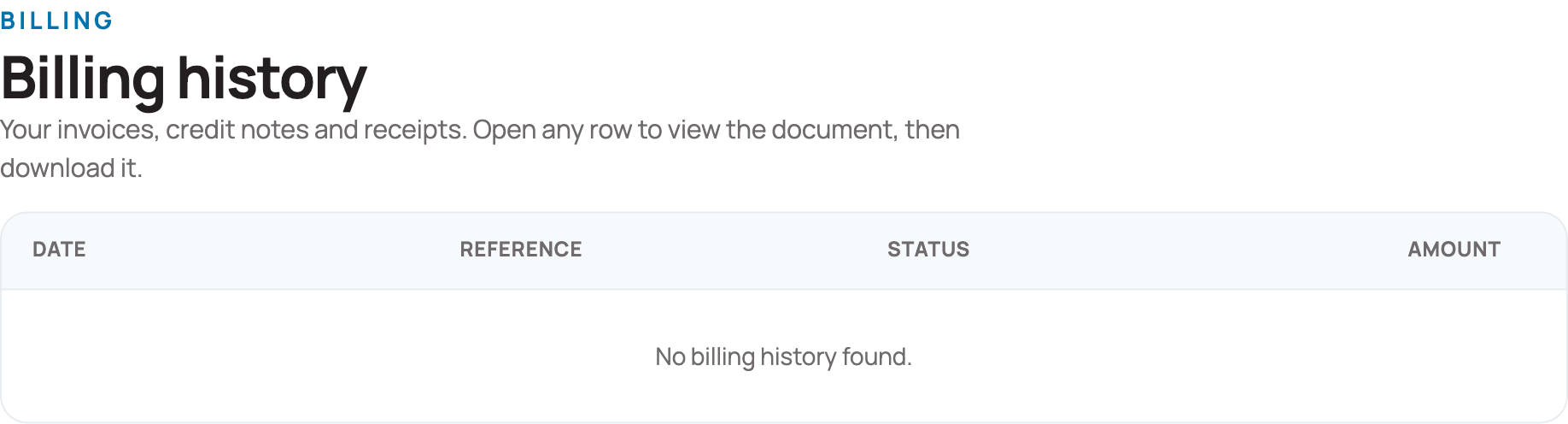
Open Billing in the My Account menu. The page is called Billing history.
What the list shows
Each document is one row, with four columns:
- Date — when the document was issued.
- Reference — the reference for that document. Quote it if you contact us about it.
- Status — where the payment stands. The badge shows where the payment stands, for example Paid, Payment pending or Refund being processed.
- Amount — the value of the document.
A second label under the badge shows how it was paid, for example by card or with LiVa Voucher credit.
Open and download a document
- Click anywhere on the row.
- The document opens on your screen.
- Download it from there.
Common questions
I cannot find the invoice for a booking. First check that you are signed in with the same account you used to book. If it is still missing, contact us with the booking reference. Our phone number, WhatsApp, LINE and email are at the bottom of the menu on the left.
Can I have an invoice in my company's name? On the My Profile page, set your account type to Company and fill in your company name, registration number, tax number and address. Your documents always show the details that were on the booking when it was made. After you switch to a Company account, documents for new bookings carry your company details; a document that was already issued keeps its original details. If you need an existing document changed, contact our support team.
The amount is not what I expected. Open the document first — it shows the full breakdown. If it still looks wrong, contact us and quote the reference from the Reference column.
Where do I manage my payment cards? You can securely save a card while paying for a booking. At your next checkout it appears under Your saved cards on the payment step. You can also see, add or remove saved cards under Payment Methods in the My Account menu.
Your bookings and tickets
Where to find your trips and your boarding vouchers, how group booking requests work, and how to save passengers for next time.
Bookings
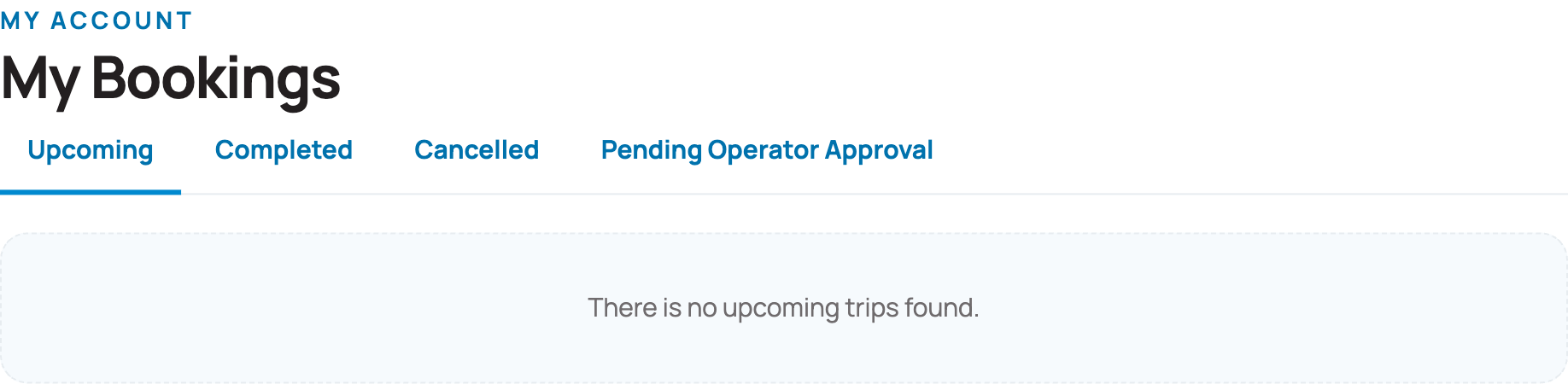
Bookings lists every trip you have booked with us. Tabs at the top separate them:
- Upcoming — trips still to come. This is the tab that opens first.
- Completed — trips you have already taken.
- Cancelled — bookings that were cancelled.
- Pending Operator Approval — bookings the operator has not confirmed yet.
Each tab shows a badge with how many bookings it holds. Click View trip details to see the whole trip: every leg, the operator, the times and your booking reference.
Your boarding voucher
On a confirmed booking, open View trip details and click Download PDF to save your boarding voucher. We do not email tickets: your voucher is always in your account.
Changing or cancelling a booking
A booking shows only the options that apply to it:
- Change this booking — move to another date or departure with the same operator. See Change your booking.
- Cancel & refund — cancel and choose where your refund goes. See Cancel a booking and get a refund.
If a button is not shown, that option is not available for that booking.
Trips waiting for approval
Some trips need the operator to accept your seats first. Until then the booking sits under Pending Operator Approval, and the page shows what happens next and how long the operator has to reply.
For last-minute departures that need the operator's confirmation, if you pay by card, your card is only held at checkout and is charged when the operator confirms the trip. Other payment methods, such as PromptPay or mobile banking, are charged at once. When you cancel a confirmed booking, you choose where the refund goes: a LiVa Voucher or your original payment method.
Group bookings
Use Group bookings for larger parties. Click Request a new group booking and our team prepares an offer for you. Inside a request you can read the offer, see the deposit needed to confirm it, accept or decline it, and ask questions in the message thread. We tell you in your account as soon as your offer is ready.
Passengers
Passengers is your list of saved travellers. Save someone once — first name, last name, adult or child, nationality, and a passport number if the crossing requires one — and choose them from the list next time instead of typing everything again. You can edit or remove a saved passenger whenever you like.
Where is my ticket?
We do not email tickets. Your boarding voucher is always in your account; here is how to get it.
Get it from your account
You never have to wait for an email. Your documents are ready to download whenever you are signed in.
- Open Bookings from the My Account menu.
- Stay on the Upcoming tab and find your trip.
- Click View trip details, then Download PDF.
The PDF is your boarding voucher, with the QR code the crew scan at the pier. Print it if you prefer paper; your phone is fine too. The trip page also shows every leg, the operator, the times and your booking reference.
If there is no Download PDF button
Two common reasons:
- The booking is still waiting for the operator. Look at the Pending Operator Approval tab. No boarding voucher exists until the operator accepts. Once they confirm, you get a confirmation email and the voucher appears in your account.
- Traveller details are missing. A boarding voucher cannot be issued until every traveller is named. Open the booking and complete the passenger details, then come back.
Check your email properly
If you expected an email and it has not arrived:
- Look in your spam, junk and promotions folders.
- Search your mailbox for your booking reference rather than scrolling.
- Check the address on your booking is the one you actually read. You can see it in your account; to change it, use Email Address on the Security page.
One thing to know about our emails: we do not email tickets. The confirmation email tells you the booking is confirmed; the boarding voucher itself is always in Bookings, as described at the top of this page. A missing email never means a missing ticket.
Messages from us
The envelope at the top of the My Account menu opens your Inbox, where messages we send you are kept. The small number beside it is how many you have not read. It is worth a look before you contact us — the answer is often already there.
Still nothing? Contact us
Have your booking reference ready — the number shown on the booking, starting with `#`. Everything you need to reach us is at the bottom of the My Account menu: our phone number, our office hours, WhatsApp, LINE and email. You can also click Leave a Message.
My booking is pending. What does that mean?
Some trips need the operator to accept your seats first. Until then your booking is under Pending Operator Approval in Bookings, which shows what happens next and how long the operator has to reply. We email you when the booking is confirmed, and your boarding voucher then appears in your account.
For a last-minute departure paid by card, your card is only held until the operator confirms. If they do not confirm in time, the booking is cancelled and the hold is released.
General Information
Is food provided on the ferries?
Most ferries offer refreshments and drinks on board. Snacks and light meals are also available for purchase, usually for an additional charge—please remember to bring cash if you plan to buy food during your ferry trip. While choices may be limited, you should still find something to your liking.
I left something on the boat. What can I do?
Contact us as soon as you can with your booking reference and a description of the item. We will pass it to the operator and let you know. Operators do their best to help, but are not responsible for items left on board.
How do hotel pick-ups and transfers work?
Where a trip offers a pick-up or drop-off, you add it in your cart before you pay, choosing from the vehicles offered for your group size. Your boarding voucher then shows the pick-up time and a pick-up hotline.
Be ready at your pick-up point a little before that time; shared pick-ups may make other stops. If you cancel the trip, its transfer is cancelled with it.
Can I bring my pet?
It depends on the route. A trip shows No pets where animals are not allowed, or Pets — ask us first where the operator may accept them: contact us before you book.
How much luggage can I bring?
The allowance depends on the operator and is shown for each trip: Luggage … kg, or No luggage limit, on the route page and in the search results. If you are travelling with more than that, contact us before you travel.
What happens at the pier on the day of my trip?
Go to the pier shown on your boarding voucher, arriving by the time shown on your trip (Arrive … min before). Show the QR code on your boarding voucher — on your phone is fine — and the crew scan it and direct you to your boat. Some routes need a printed ticket; those show Printed ticket required.
Your boarding voucher is under Bookings → View trip details → Download PDF in your account.
Pier and Location Information
How to get to koh kradan from phuket?
You can find and book trips from Phuket, including routes to the surrounding islands, on the Phuket destination page.
Just click through to the Phuket destination page and you'll be able to see the available route options and book your trip without leaving the page.
How to get to koh phangan from phuket?
You can find and book trips from Phuket, including routes to the surrounding islands, on the Phuket destination page. Just click through to it and you'll be able to see route options and book your trip without leaving the page.
How long is the ferry from surat thani to koh samui?
You can book your Surat Thani–Koh Samui ferry trip directly on our website, where the available routes and schedules are shown.
On the day of travel, go to the pier listed on your ticket and look for staff from the ferry operator named on your ticket. Show the QR code on your boarding voucher — on your phone is fine — and the crew will direct you to your boat.
Each departure shows its journey time in the search results.
How to get from phuket to koh lipe?
You can find and book trips from Phuket, including routes to the surrounding islands, on the Phuket destination page. Just click through to it and you'll be able to see route options and book your trip without leaving the page.
If you also need a pick-up or drop-off, you can add one to your trip in your cart before you pay, where it is offered.
Can you get a ferry from bangkok to koh samui?
Yes. You can find and book trips between Bangkok and Koh Samui directly on our website — routes and schedules are shown so you can book your trip without leaving the page.
On the day of travel, head to the pier listed on your ticket and look for staff from the ferry operator named on your ticket. Show the QR code on your boarding voucher — on your phone is fine — and the crew will direct you to your boat. In Koh Samui, this staff is usually stationed at booths near the boarding area.
How long is the ferry from koh samui to bangkok?
You can find and book ferry trips between Bangkok and Koh Samui directly on our website, where routes and schedules are shown so you can book without leaving the page.
On the day of travel, head to the pier listed on your ticket and look for staff from the ferry operator named on your ticket. Show the QR code on your boarding voucher — on your phone is fine — and the crew will direct you to your boat. In Koh Samui, this staff is usually stationed at booths near the boarding area.
Each departure shows its journey time in the search results.
Website Information
Facilities & services — what should customers know about this station/pier?
Facilities at Liva stations and piers are drawn from a fixed catalogue that includes things like Air Conditioning, Wi-Fi, Toilets, Wheelchair Accessible access, Luggage Space, Coffee/Snacks, USB Charging Ports, Power Outlets, Seating options, First Aid Kit, and other similar amenities.
Not every pier offers every facility — each station or pier lists only the specific facilities it actually provides from this catalogue. Liva currently has facility information listed for 114 piers.
To see exactly which facilities are available at a particular station or pier, please check that station's listing, as this varies by location.
How do I leave a review?
After your trip we send you an email inviting you to review it, and a single reminder if you have not replied. The link in that email takes you straight to the form — there is no account to create and no password to remember, because the link itself is your credential.
You can also review any eligible trip from the last two years under My Reviews in your account.
You can leave one review per booking. If you travelled on more than one booking, you will be invited separately for each.
Why has my review link stopped working?
There are a few reasons a link stops working:
- It has expired. A review link is valid for 90 days from the day it is sent.
- The booking has already been reviewed. Only one review is accepted per booking.
- The trip is not eligible. Reviews are only for bookings the operator confirmed and that were not cancelled. We email the invitation shortly after your trip, and you can review a trip from the last two years under My Reviews in your account.
If you think your trip should be reviewable and it is not, contact us and we will look.
What do the stars on a review cover?
A review is not one score. You rate separate things, each from one to five stars:
- Overall — the trip as a whole
- Operator — the operator you travelled with
- Punctuality — did it run to time
- Comfort — the vessel or vehicle itself
- Value for money — what you paid for what you got
- Customer service — if you contacted us
You can also add what was good and what was not, in your own words.
Will my name be shown on my review?
The form asks how you would like to appear, and anonymous is the default — if you skip the question, no name is published.
There are two choices:
- No name at all — the review is published without any name
- Your first name — for example "Anna"
We never publish your surname. There is no option to, and no review on this site shows one.
Whatever you choose, a published review also shows the month you travelled, the route, the operator, and a badge confirming it came from a real booking. It never shows your email address, your booking reference, or your contact details.
Changed your mind? Contact us and we will change how your name appears, or withdraw the review.
Do you publish bad reviews?
Yes, and this is deliberate: there is no minimum score a review must reach to be published. A one-star review is published on the same terms as a five-star one.
Moderation is there to catch abusive language, content that is unlawful, and anything that names or identifies another person without their consent. It is not there to remove criticism, and a poor rating on its own is never a reason to decline a review.
Consistently poor ratings raise an alert with us about the operator concerned, which is rather the point of collecting them.
Payments and Refunds
What happens if my ferry is cancelled due to weather?
We are sorry when weather stops a sailing. Ferries usually run in rain; speedboats are more often stopped by rough seas.
If your trip is cancelled because of weather, your booking in Bookings shows a message once our team has confirmed the cancellation. You can then either move to the next available service with Change this booking, or cancel with Cancel & refund for a full refund.
If the sailing is running but you choose not to travel, the normal cancellation policy applies.
Can I get my refund as a LiVa Voucher?
Yes, if you prefer. When you cancel with Cancel & refund you choose where the money goes: a LiVa Voucher (travel credit on your account, usually ready within 2–3 minutes) or your original payment method.
A voucher is never compulsory. The cancel page tells you how long a voucher is valid before you choose.
How do I cancel my booking?
You can cancel from your account. Open Bookings in the My Account menu, find your trip and click Cancel & refund.
The page shows your trip's cancellation policy, the date to cancel before, and exactly how much comes back. Some fares are non-refundable; the page says so, and you can still click Ask our team to review.
Each trip on a booking is cancelled on its own, for all passengers on it. If the trip has a pick-up or drop-off transfer, the transfer is cancelled with it.
Choose where your refund goes, tick the confirmation box and click Send cancellation request. Cancelling cannot be undone. See Cancel a booking and get a refund for where the money goes and how long it takes.
Cancel a booking and get a refund
How to cancel a trip, where the money goes back to, and what happens next.
Where to start
Open Bookings in the My Account menu, find your trip on the Upcoming tab and click Cancel & refund. Each trip in a booking is cancelled on its own, for all passengers on it, and a pick-up or drop-off transfer attached to the trip is cancelled with it. If the button is not shown, cancelling online is not available for that booking, so please contact us.
What you get back
What comes back depends on the trip's cancellation policy. Before you confirm, the page shows the policy, the date to cancel before, and how much you get back. Some fares are non-refundable; the page says so plainly, and you can still click Ask our team to review.
Depending on where the refund goes, a refund fee may apply. It covers the cost of collecting your payment and returning the funds and is not part of the ticket price; the page shows it before you confirm. Only the amount you paid by card can be refunded in cash. Anything you paid with LiVa Voucher credit goes back to a LiVa Voucher.
Choose where your refund goes
- LiVa Voucher — travel credit for your next Liva booking. It is credit, not cash, and you tick a box to confirm you understand. A voucher is never compulsory.
- Original payment method — back to the card or method you paid with, where that method can be refunded.
- Bank transfer — to a bank account in your own name, in Thailand or abroad, where offered.
Then tick the confirmation box and click Send cancellation request. Cancelling cannot be undone.
How long it takes
- LiVa Voucher: usually 2–3 minutes
- Original payment method: 5–10 business days; your bank may take longer to show it
- Bank transfer: 7–10 days to set up, then 2–3 days
After you send it
The page confirms your request. A voucher is usually in your account within minutes. A refund to your card or bank is handled by our team under the cancellation policy, and we email you once it is done. If you have already sent a request, the page says so.
Trips waiting for operator approval
A booking on the Pending Operator Approval tab has not been accepted by the operator yet, so there is nothing to cancel; it shows Waiting to be confirmed and we email you as soon as there is news.
For a last-minute departure paid by card, your card is only held, not charged, until the operator confirms. If they do not confirm before the deadline, the booking is cancelled and the hold is released. Other payment methods, such as PromptPay or mobile banking, are charged at once.
Cancelling for medical reasons
Some operators run a separate medical-reason process. On the cancel page, click Request a medical-reason refund and follow the steps. Never send medical certificates or health details to Liva: we do not collect, store or process medical information. You send your evidence directly to the operator, the operator decides, and Liva then applies your refund terms and pays any refund.
LiVa Vouchers explained
What a LiVa Voucher is, where to find yours, and how to spend it.
What it is
A LiVa Voucher is travel credit held on your account, an amount you can put toward an eligible Liva booking. It is credit, not cash: it is not paid out to a bank account.
Where to see yours
Open LiVa Voucher credit in the My Account menu. This item appears only on sites where vouchers are offered. The page shows your total travel credit, a balance for each currency, and one card for each voucher with its amount left, its code, its status and its history.
Where vouchers come from
- You cancelled a booking and chose a LiVa Voucher as your refund instead of your original payment method.
- You wrote a review of an eligible trip and it was approved: eligible trips earn LiVa Voucher credit, whether your review is positive or negative.
- Promotional or goodwill vouchers can also be issued to you.
How to spend one
At the payment step of checkout, choose LiVa Voucher credit to pay with your credit. You can use it for part or all of a booking, and spread it across more than one booking.
How long a voucher lasts
Each voucher carries its own expiry date, shown on its card in My Account. Some vouchers have no expiry date; those cards say so. A voucher issued in place of a refund is valid for a set number of months from the date you paid, not from the date it was issued, and the cancel page tells you the exact period before you choose. Always trust the date on your own voucher.
I booked the wrong trip. What can I do?
Booked the wrong trip? Cancel it from Bookings in your account with Cancel & refund, then book the right one. The page shows how much of the fare comes back under the cancellation policy before you confirm.
If you only need a different date or departure with the same operator, use Change this booking instead; see Change your booking.
Member Information
How long am I locked out for?
The first lock is one minute. If sign-in keeps failing after that, each further lock lasts longer:
- 1st lock — 1 minute
- 2nd lock — 5 minutes
- 3rd lock — 15 minutes
- 4th lock and after — 1 hour
An hour is the longest you will ever be locked out. You get five attempts before the first lock, and as soon as you sign in successfully everything resets — the next time you mistype, you start again at one minute.
Why is my account locked?
We lock an account for a short time after several failed sign-in attempts in a row. It is an automatic safety measure: it stops someone else guessing your password, and it happens whether or not the person typing was you.
You do not need to contact us. The lock lifts on its own — see How long am I locked out for?
What is the difference between a locked and a blocked account?
Locked is automatic and temporary. It happens after repeated failed sign-in attempts and it lifts by itself — within a minute in most cases.
Blocked is a decision made by our team, and it does not lift on its own. If your account is blocked you will need to contact us; waiting will not change it, and neither will resetting your password.
If you are not sure which applies to you, get in touch and we will tell you.
How do I unlock my account now?
Wait, and try again. Every lock lifts on its own — a minute the first time, and never more than an hour however many attempts have failed. There is nothing to click and nobody to contact.
If you have forgotten your password, do not keep guessing: each wrong attempt makes the next wait longer. Use Forgot password instead. Resetting your password gets you straight back in.
My account locked but I never tried to sign in
Then someone else was trying to sign in as you, and the lock did its job — it stopped them.
Your account is safe: a lock means the attempts failed. Nobody got in. You do not have to do anything, and the lock will lift on its own.
We would still recommend two things:
- Change your password, especially if you use the same one on another website.
- Add an authenticator app in your account security settings, so a password alone is never enough to sign in as you.
If you get these repeatedly, contact us and we will look into it.
Photos you share with us
Where to see the photographs you sent us, what happened to each one, and how to ask us to take one down.
Where to find the page
Open My photos in the My Account menu. It is always there, whether or not you have ever sent us a picture.
Some of our pages have no photograph of their own. When that happens, the page invites visitors to share one. If you have ever accepted that invitation, this is where your photographs are listed.
What the page tells you
Each photograph is one row. You see which kind of page you sent it for, the file name, the date you sent it, and — if you asked for one — the credit line we published it under.
Beside each one is its current state, in plain words:
- With us — waiting for someone on our team to look at it.
- Published — thank you, we are using this photo on the site.
- Not used — we were not able to use this one.
- Removal asked — you have asked us to take it down. It stays on the site until someone on our team removes it.
- Taken down — this photo is no longer on the site.
Asking us to take a photo down
This is the real reason the page exists. You can ask us to remove any photograph of yours, at any time, without giving a reason.
On a published photograph, click Ask us to remove it. We ask you to confirm, because two things follow: the photograph stays on the site until a person on our team removes it, and the page it was on goes back to having no picture at all.
The button appears only where there is something to remove — on a published photograph that you have not already asked about. If it is not there, either the photograph was never published, or you have already asked, or it is already gone.
If your photos are not listed
We look for photographs sent from the email address on this account. If you sent one using a different address, it will not appear here. That does not mean we lost it — contact us and we will find it for you.
About Us
How accurate is your published information?
All fares, trip schedules, and published routes are correct at the time of publication. However, it is possible for the information to change without notice. In these cases, we will change the information as soon as we know. At all times we vow to present to you the most accurate information that we can.